

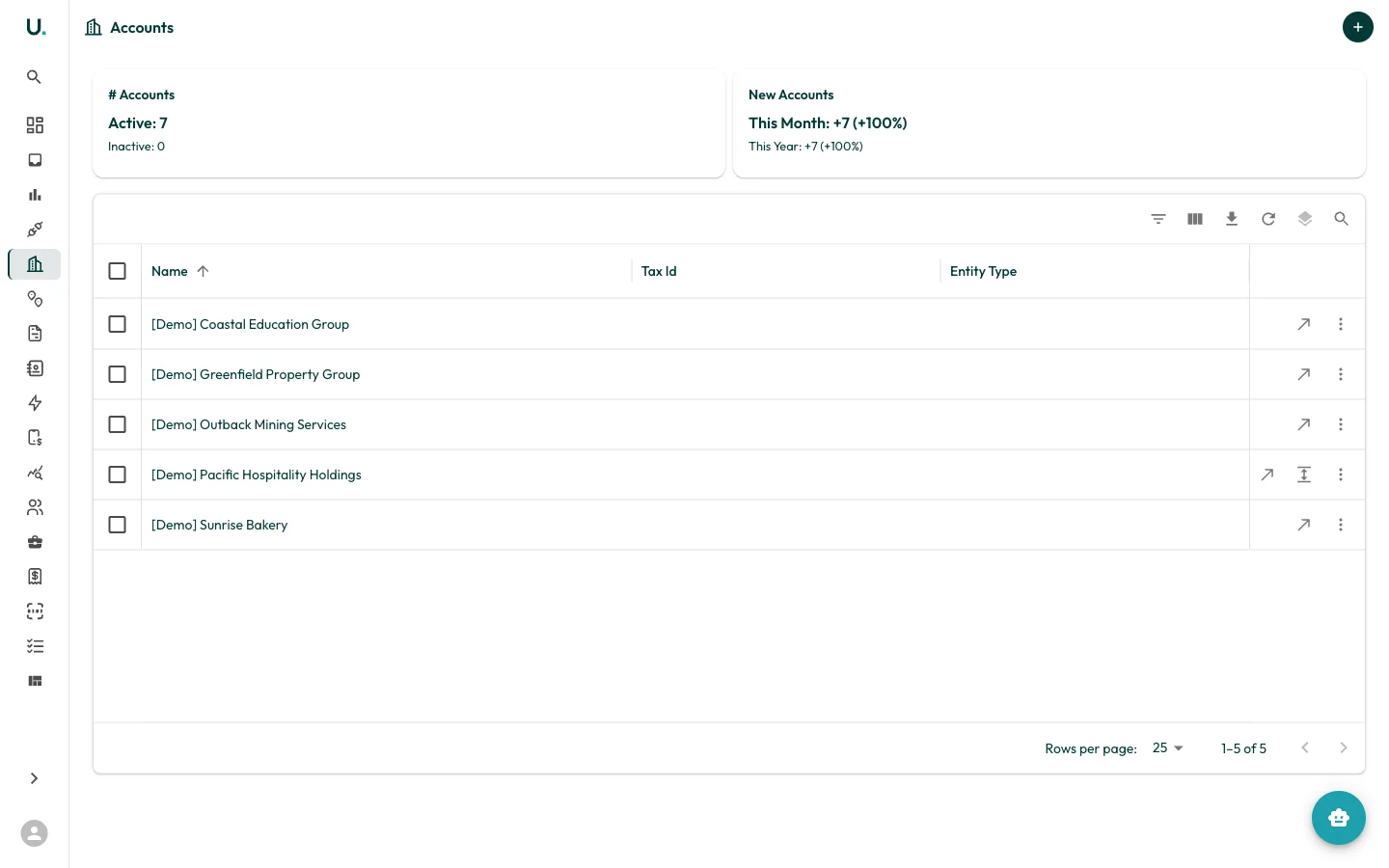
Accounts list
The Accounts page displays all accounts in your organisation in a data grid with the following columns:| Column | Description |
|---|---|
| Name | The business or entity name |
| Tax Id | ABN or ACN for the entity |
| Entity Type | The legal entity type (for example, Australian Private Company, Strata-title, Other Partnership) |
- # Accounts — Total active and inactive accounts
- New Accounts — Accounts added this month and this year, with percentage growth
Toolbar actions
The data grid toolbar provides:- Filter — Filter accounts by any column
- Column visibility — Show or hide columns
- Export — Download account data as CSV
- Refresh — Reload the data
- Density — Toggle between compact, standard, and comfortable row heights
- Search — Quick-search across all visible columns
Row actions
Each row has action buttons on the right:- See Details (arrow icon) — Navigate to the account detail page
- Quick Edit (pencil icon) — Open a drawer to edit account fields inline
- More (three dots) — Additional actions
Creating an account
Click the + button in the top-right corner to create a new account. You are prompted to enter the account name, tax ID, entity type, and other details.Account detail page
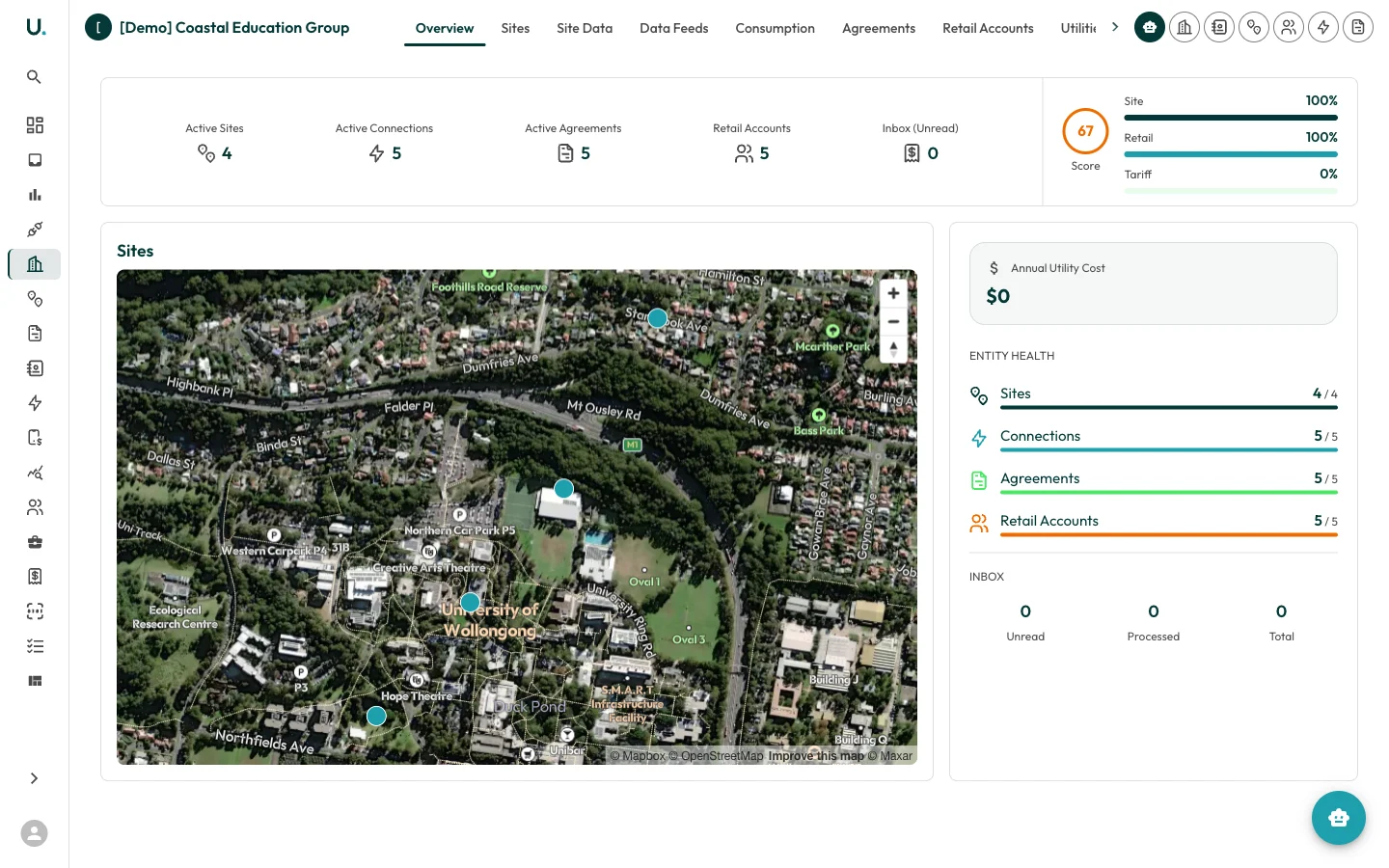
| Tab | Description |
|---|---|
| Overview | Summary stats, site map, account details, entity health score, and inbox status |
| Sites | Physical locations associated with this account |
| Site Data | Detailed data for all sites under the account |
| Data Feeds | Automated data feed connections |
| Consumption | Energy consumption data and charts |
| Agreements | Energy agreements linked to this account |
| Retail Accounts | Retailer account references |
| Utilities | Utility connections and services |
| Invoices | Invoices associated with this account |
| Contacts | People associated with this account |
| Settings | Account-specific settings |
Overview tab
The Overview tab provides an at-a-glance summary:- Summary Cards — Active Sites, Active Connections, Active Agreements, Retail Accounts, and Inbox (Unread) counts
- Score — An entity health score showing completeness of Site, Retail, and Tariff data as percentages
- Sites Map — Interactive map showing the geographic location of all sites under this account
- Annual Utility Cost — Total annual energy expenditure
- Account Details — Entity type and other key information
- Entity Health — Progress bars showing Sites, Connections, Agreements, and Retail Accounts with active vs total counts
- Inbox — Unread, Processed, and Total inbox items for this account