

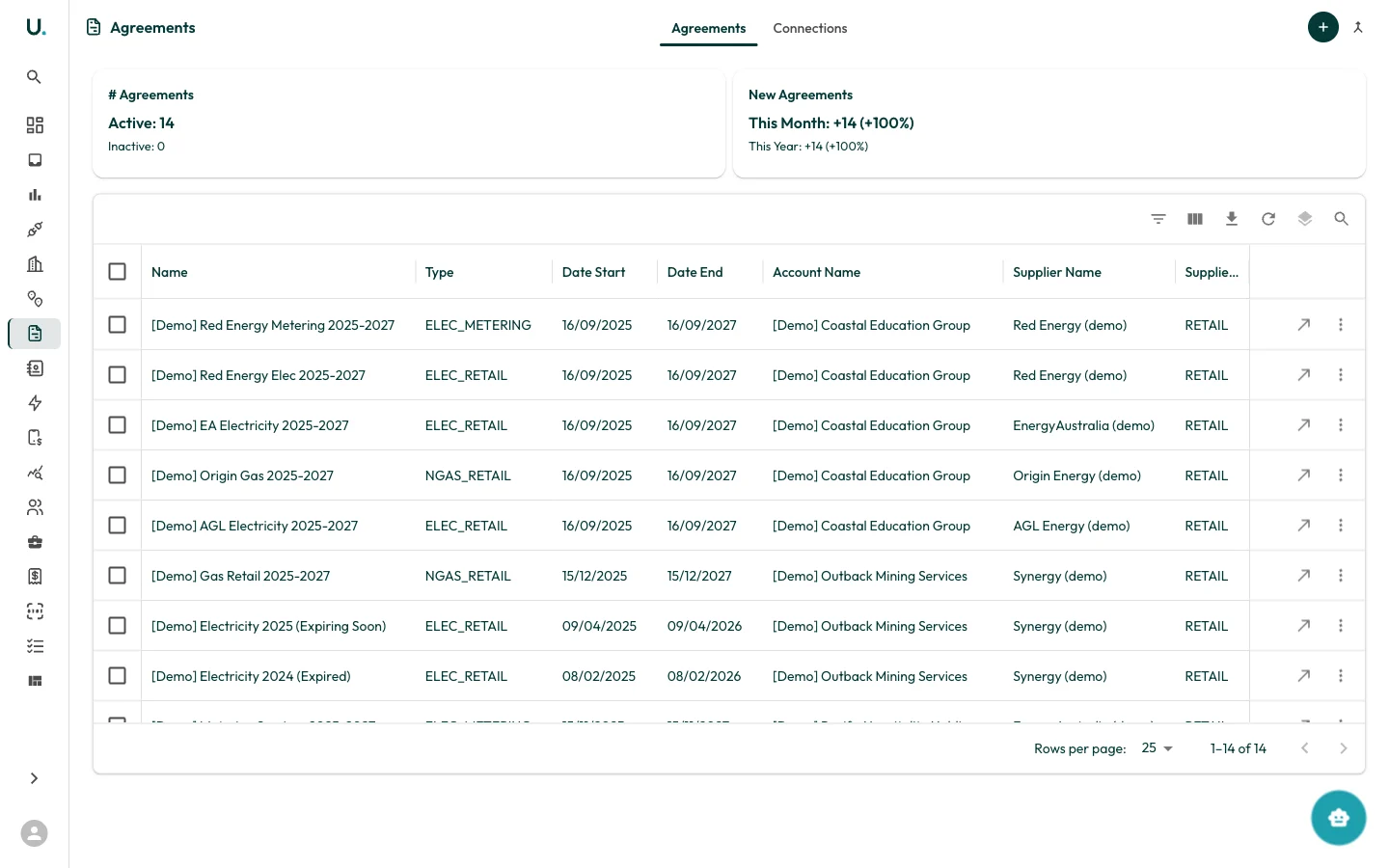
Agreements list
The Agreements page has two tabs: Agreements and Connections.Agreements tab
Displays all agreements in a data grid:| Column | Description |
|---|---|
| Name | The agreement name or reference |
| Type | Agreement type — for example, ELEC_RETAIL, ELEC_METERING, NGAS_RETAIL |
| Date Start | When the agreement begins |
| Date End | When the agreement expires |
| Account Name | The account this agreement belongs to |
| Supplier Name | The energy supplier or retailer |
| Supplier Type | Whether the supplier is RETAIL or METER |
- # Agreements — Total active and inactive
- New Agreements — Added this month and year with growth percentages
Connections tab
Shows which connections are linked to each agreement, helping you verify that all meters are covered by a current contract.Creating an agreement
Click the + button in the top-right corner. You need to specify the agreement name, type, dates, account, and supplier.Agreement types
| Type | Description |
|---|---|
| ELEC_RETAIL | Electricity retail supply agreement |
| ELEC_METERING | Electricity metering agreement |
| NGAS_RETAIL | Natural gas retail supply agreement |
| WATER_RETAIL | Water retail supply agreement |