

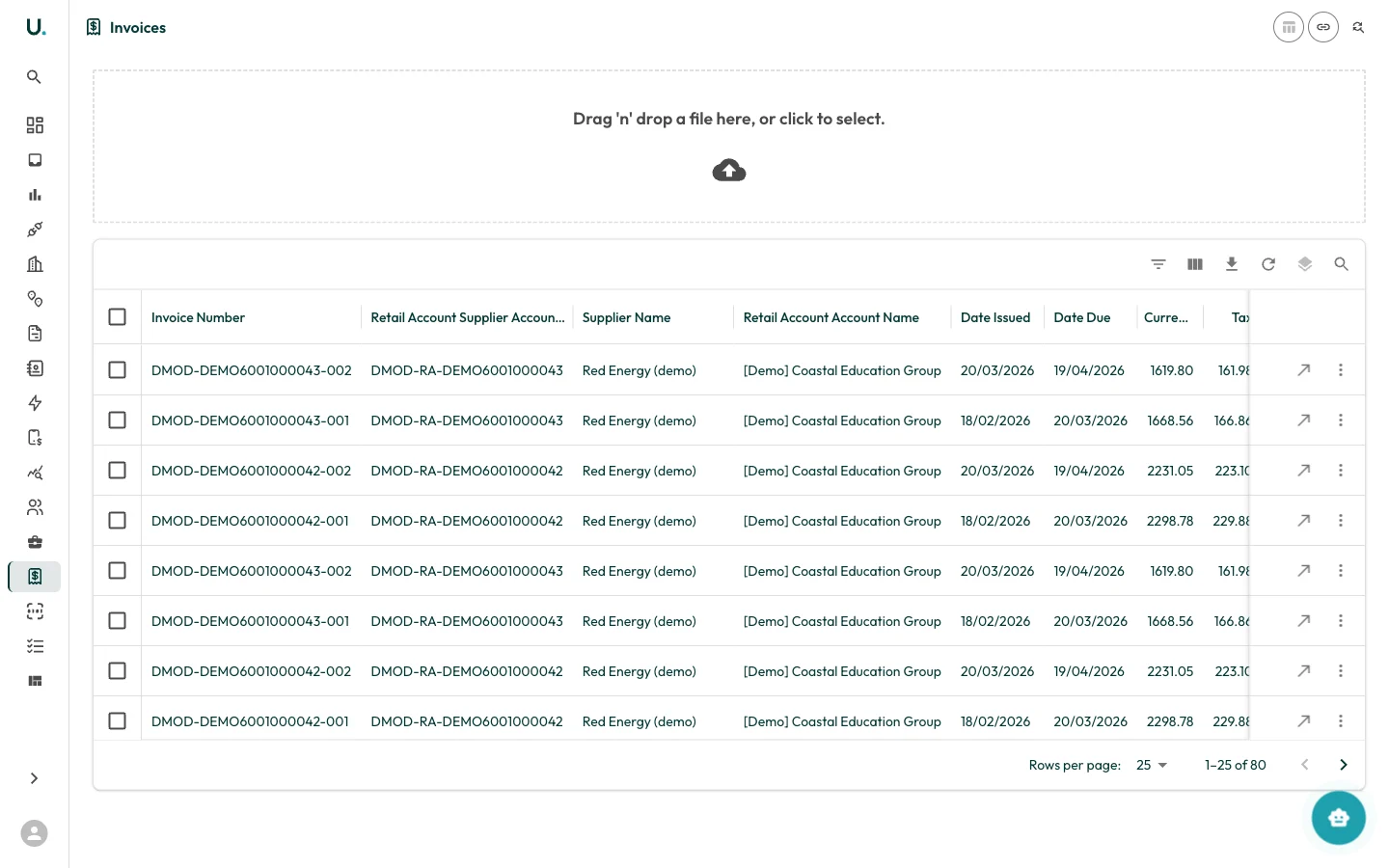
Invoices list
The Invoices page displays all invoices in a data grid:| Column | Description |
|---|---|
| Invoice Number | The unique invoice reference |
| Retail Account Supplier Account | The supplier’s retail account reference |
| Supplier Name | The energy supplier that issued the invoice |
| Retail Account Account Name | The customer account this invoice belongs to |
| Date Issued | When the invoice was issued |
| Date Due | Payment due date |
| Currency | Invoice amount in the local currency |
| Tax | Tax amount (GST) |
| Pre-Tax | Pre-tax amount |
Uploading invoices
At the top of the Invoices page is a drag-and-drop upload zone. You can:- Drag and drop invoice files (PDF, CSV) directly onto the upload area
- Click the upload area to open a file browser and select files
Row actions
- See Details (arrow icon) — Navigate to the invoice detail page with Overview, Lines, Documents, and Validation tabs
- More (three dots) — Additional actions