

What is UMS?
UMS is an energy management platform for Australian businesses and energy brokers. It helps you:- Track energy accounts across multiple sites and connections
- Process invoices automatically via email or manual upload
- Validate billing against tariff rates to catch errors
- Manage agreements and monitor contract expiry dates
- Calculate brokerage revenue from energy agreements
- Generate reports on consumption, spend, and portfolio health
Getting started in 5 steps
Log in to your account
Navigate to your organisation’s UMS URL and sign in with your credentials. If your organisation uses Microsoft 365 or Google SSO, click the appropriate sign-in button.See Logging In & Security for details on 2FA and password management.
Explore the dashboard
After logging in, the Dashboard gives you an instant overview of your portfolio — total accounts, sites, connections, agreements, spend breakdown by utility, and a map of your sites across Australia.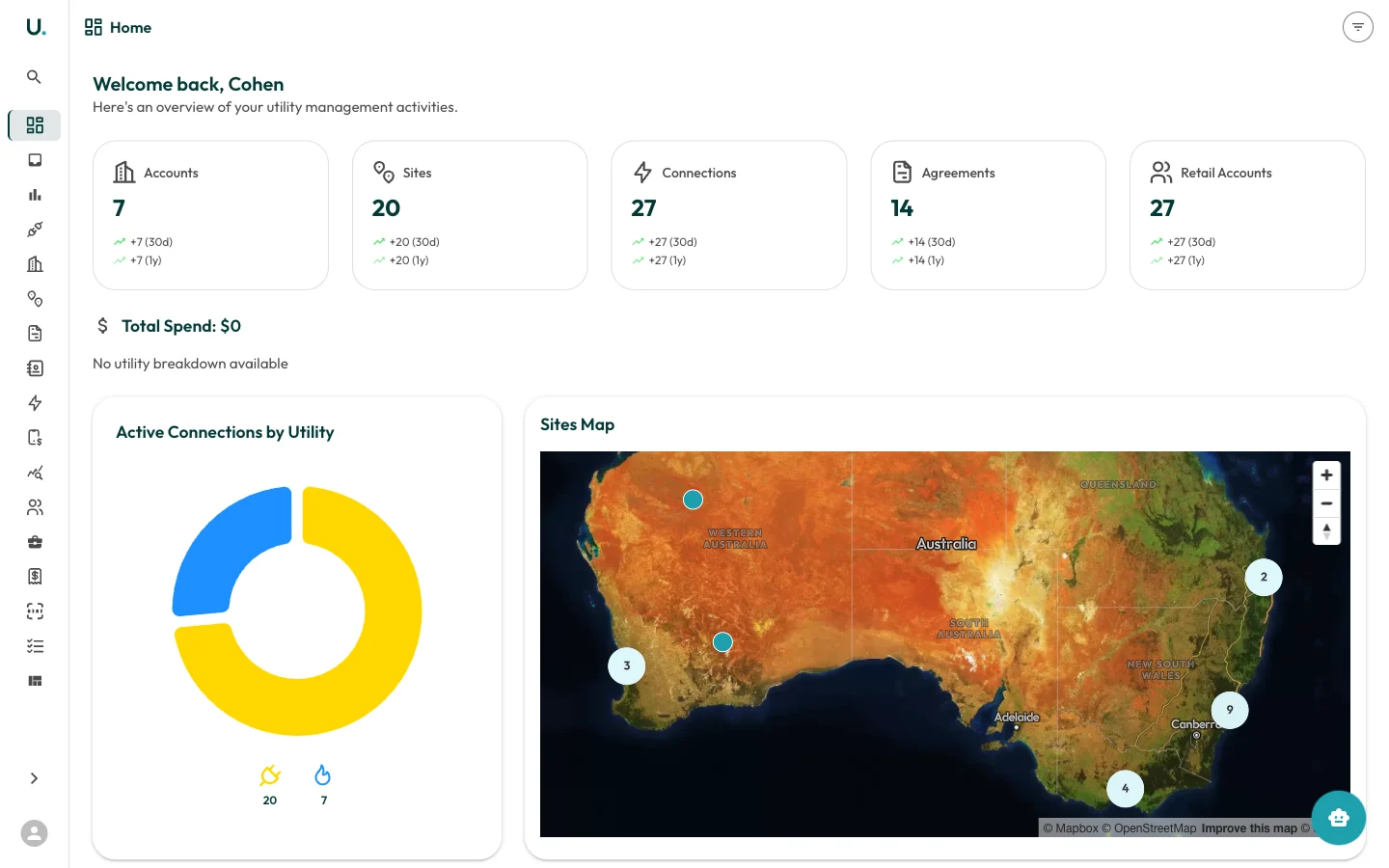
Review your accounts
Navigate to Accounts in the sidebar to see your customer accounts. Click See Details on any account to view its sites, connections, agreements, invoices, and contacts.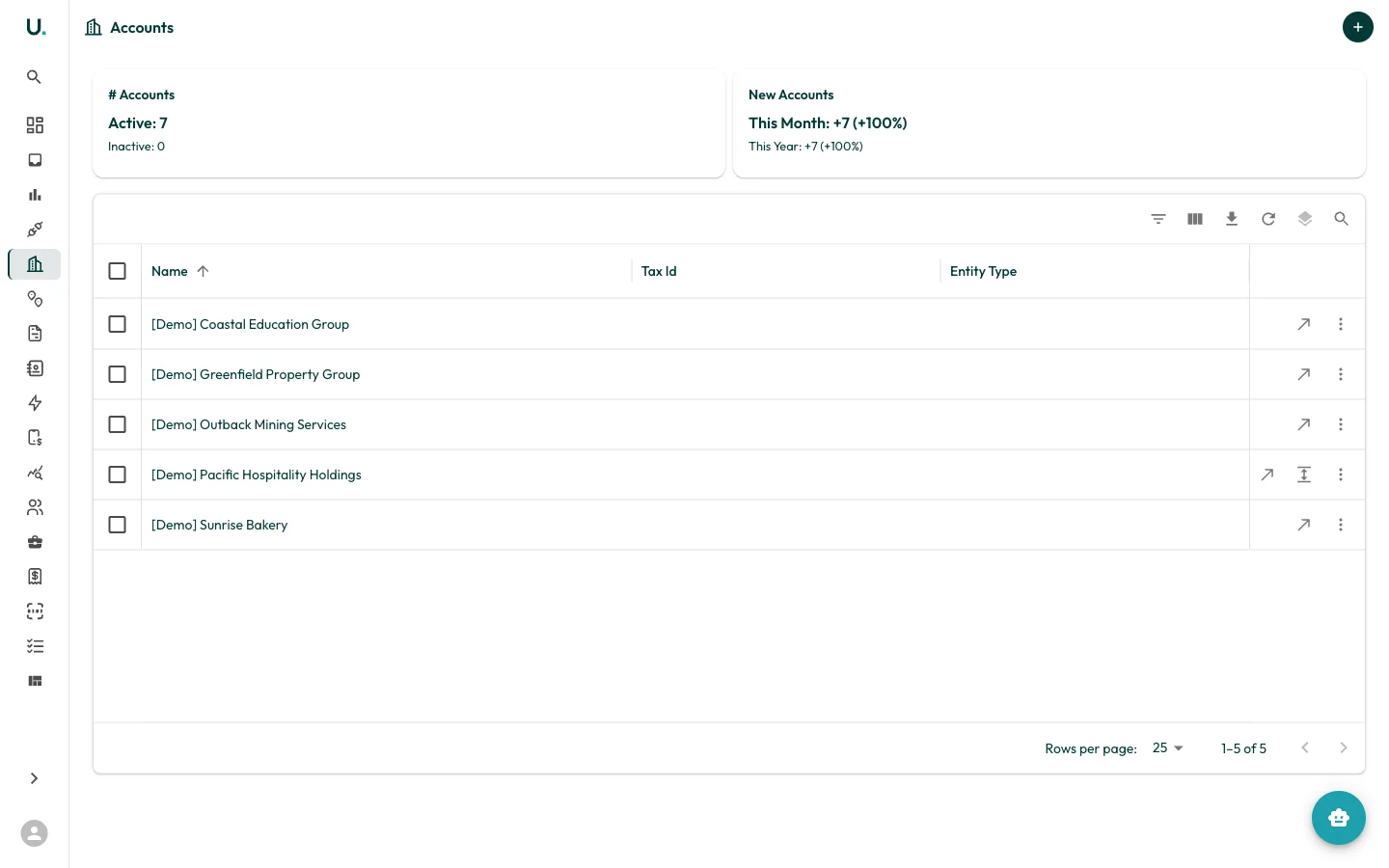
Run your first report
Navigate to Reports and click Run on any report card. Start with the Agreement Expiry Report to see which contracts are due for renewal.
What to explore next
| If you want to… | Go to… |
|---|---|
| Invite your team | Setting Up a User |
| Set up your account structure | Creating Accounts |
| Import data in bulk from CSV | Bulk Importing Data |
| Process incoming invoices | Editing Invoices |
| Validate invoice accuracy | Invoice Validation and Review |
| Track brokerage revenue | Running Brokerage Calculations |
| Configure tariff rates | Managing Tariffs |
| Manage energy agreements | Managing Agreements |
| Generate scheduled reports | Running Reports |
| Understand the data model | Key Concepts |