

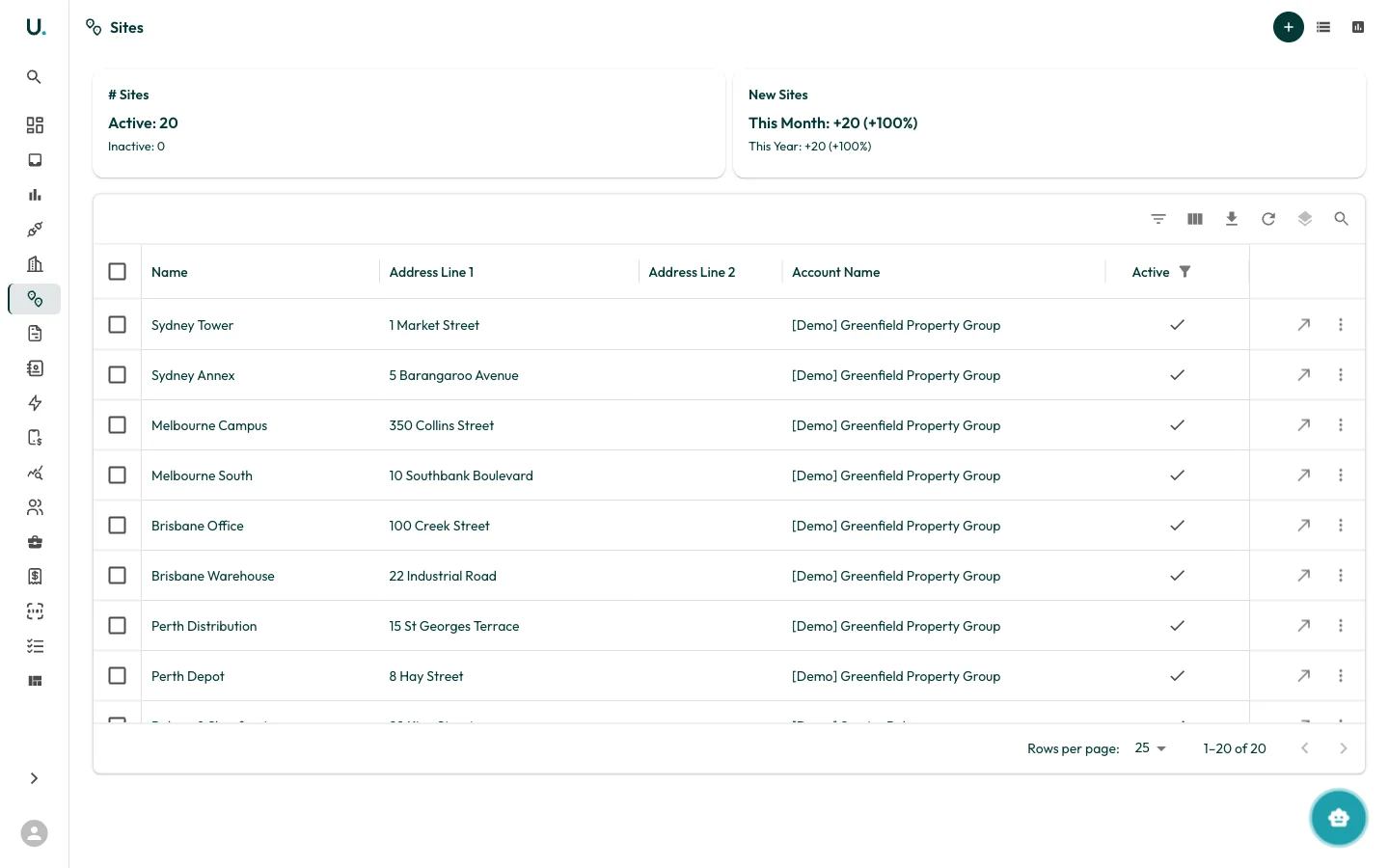
Sites list
The Sites page displays all sites across your organisation in a data grid:| Column | Description |
|---|---|
| Name | The site name or description |
| Address Line 1 | Street address |
| Address Line 2 | Additional address details (unit, level, etc.) |
| Account Name | The parent account this site belongs to |
| Active | Whether the site is currently active |
- # Sites — Total active and inactive sites
- New Sites — Sites added this month and this year, with percentage growth
Creating a site
Click the + button in the top-right corner to create a new site. You can also add sites from within an account’s Sites tab. Additional toolbar buttons let you switch between list and map views.Site detail page
Each site has a detail page accessible via the See Details action. The site detail includes:- Site address and location on a map
- Linked connections (electricity, gas, water meters)
- Associated account information
- Site-specific data and consumption history